CRM is an abbreviation of "Customer Relationship Management" i.e. "customer relationship management" and there are many different solutions for this, the largest being US Salesforce. Other well-known ones are HubSpot CRM and Microsoft Dynamics 365.
On the customer card there are the tabs Contacts and Activities. Under Contacts, add multiple people per customer and mark one as primary. Primary contact is visible in the customer list.
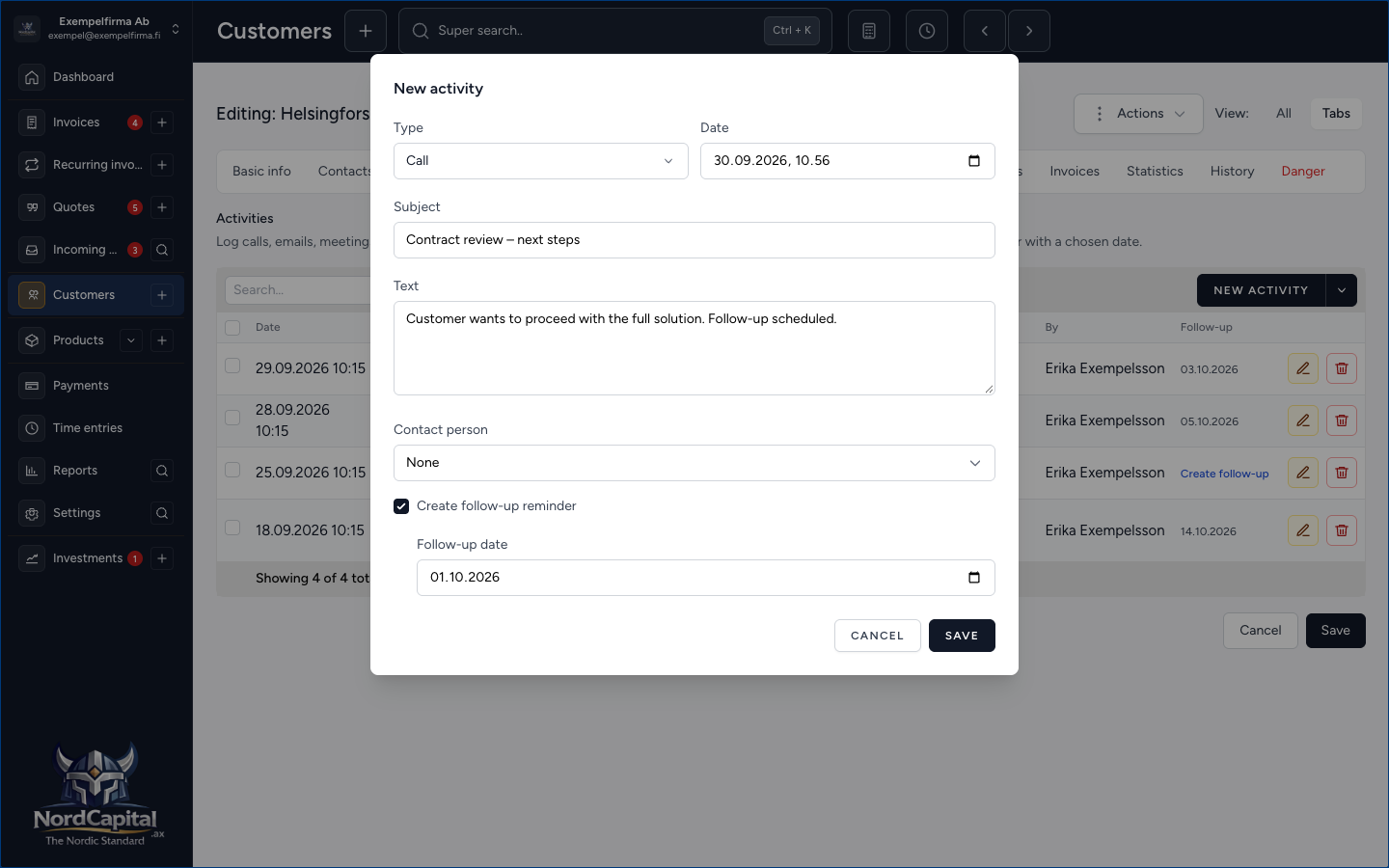
Under Activities you log what happens: calls, emails, meetings and short log notes. Each line gets the date, type, subject, and text. If you need a follow-up, check Create follow-up reminder and select the follow-up date – then a regular reminder is created that is visible both on the customer and in the dashboard.
Each customer also has CRM status: Prospect, Active, Dormant or Closed. Filter the list by status when you want to see the right customers quickly.
Here's how you'll get started
Open a customer → Contacts or Activities. CRM status is set under Settings when editing the customer.
Tip: use Activities for what happens in the dialogue, and the Notes tab for more persistent free text about the customer.